
subMatik.
Premiere Pro plugin · Mac · Windows

Instant subtitles. One click from your Premiere timeline.

Mac and Windows. 110 languages, with your pick of Google Translate or DeepL for more natural translation. Completely free — one install gives you the standalone app and the Premiere panel.

≈ 40 seconds to subtitle a 60-second clip on an M3 Pro.

// tap the drum — it gives you a fortune.

110 languages OpenAI Whisper Large v3 Google Translate + DeepL Reels mode Cut XML Bilingual SRT Offline / Private
One install · Two surfaces

Standalone and Premiere panel.

One Whisper-Large-v3 brain, two ways to reach it. The Mac and Windows installers ship with both — the standalone app for ad-hoc files, the Premiere Pro panel for your editing timeline.

Standalone · Mac & Windows

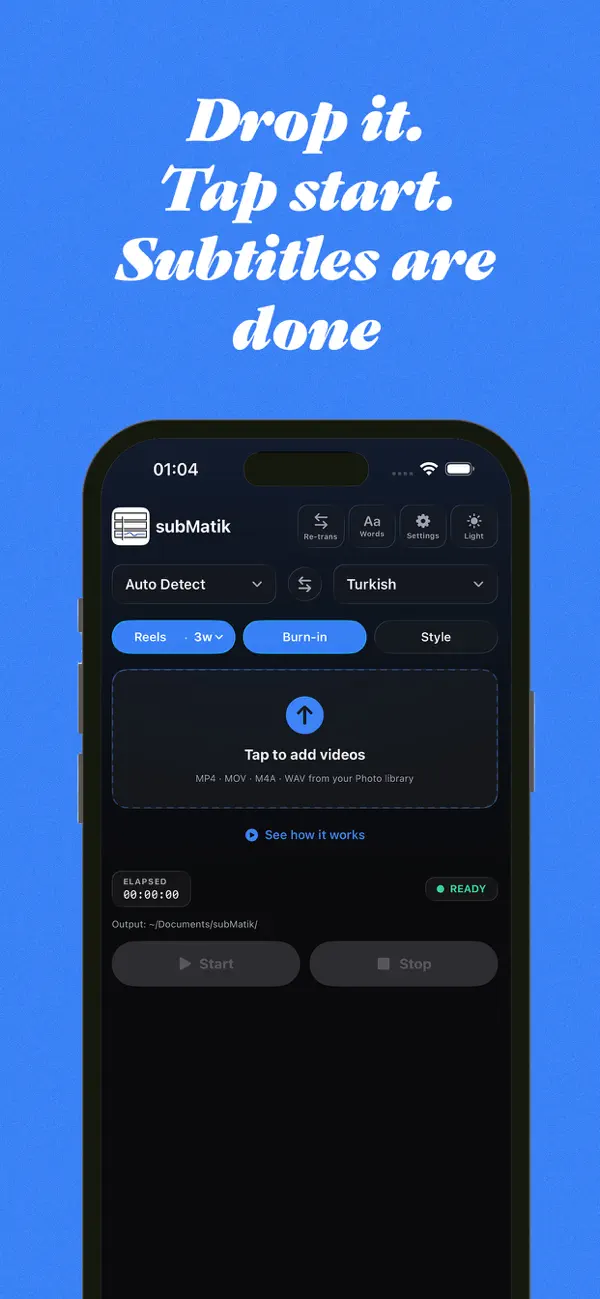
Drop the file. Hit Start. Done.

Native Apple-Silicon build. Native Windows build. A drop-zone so big you can't miss it, a giant Start button, a live transcript log, an output picker. No editor required — works on phone footage, screen recordings, podcasts, voice notes, anything.

  • Drag & drop any MP4, MOV, MP3, WAV, M4A, MKV.
  • Auto language detection — or pin a source language explicitly.
  • Bilingual SRT, ASS/SSA, WebVTT, plain .txt, Premiere JSON.
subMatik Mac standalone — DeepL engine, Reels mode on, drop zone, live transcript
Plugin · Premiere Pro · included

Active sequence in. Subtitled timeline out.

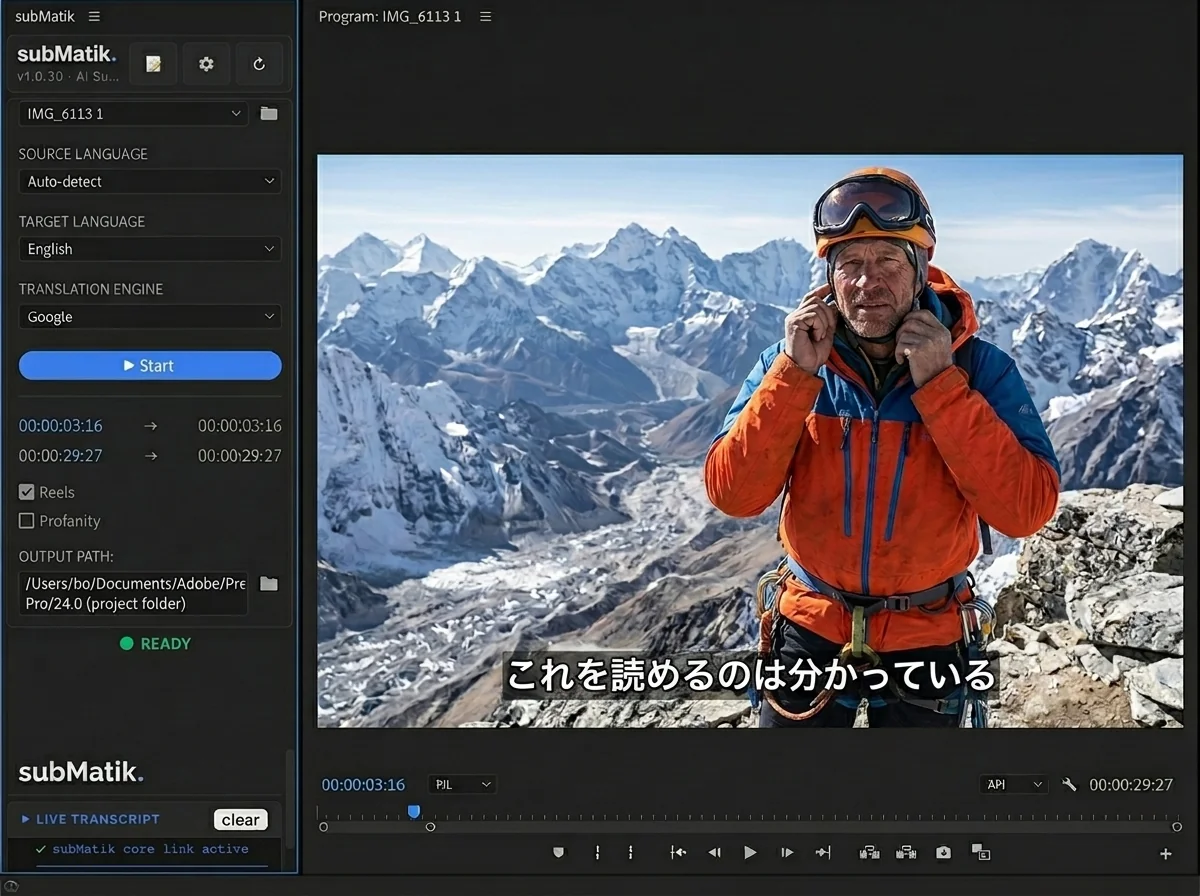
Docks alongside the program monitor. Reads the active sequence, runs the same engine, and writes the .srt directly onto a new Captions track. No file dialogs. No leaving Premiere. Already in the Mac and Windows installers — install once, panel appears in Premiere Pro.

  • Compact panel UI — fits any Premiere dock.
  • Same Settings as the standalone — translation, vocab, sync.
  • Auto-imports as Premiere Captions, ready to style.
subMatik panel docked next to Premiere Pro program monitor showing a mountain climber with Japanese subtitles
Premiere Pro 24.0 · macOS
Premiere Pro · included

The plugin isn't a separate purchase.
It's already in your install.

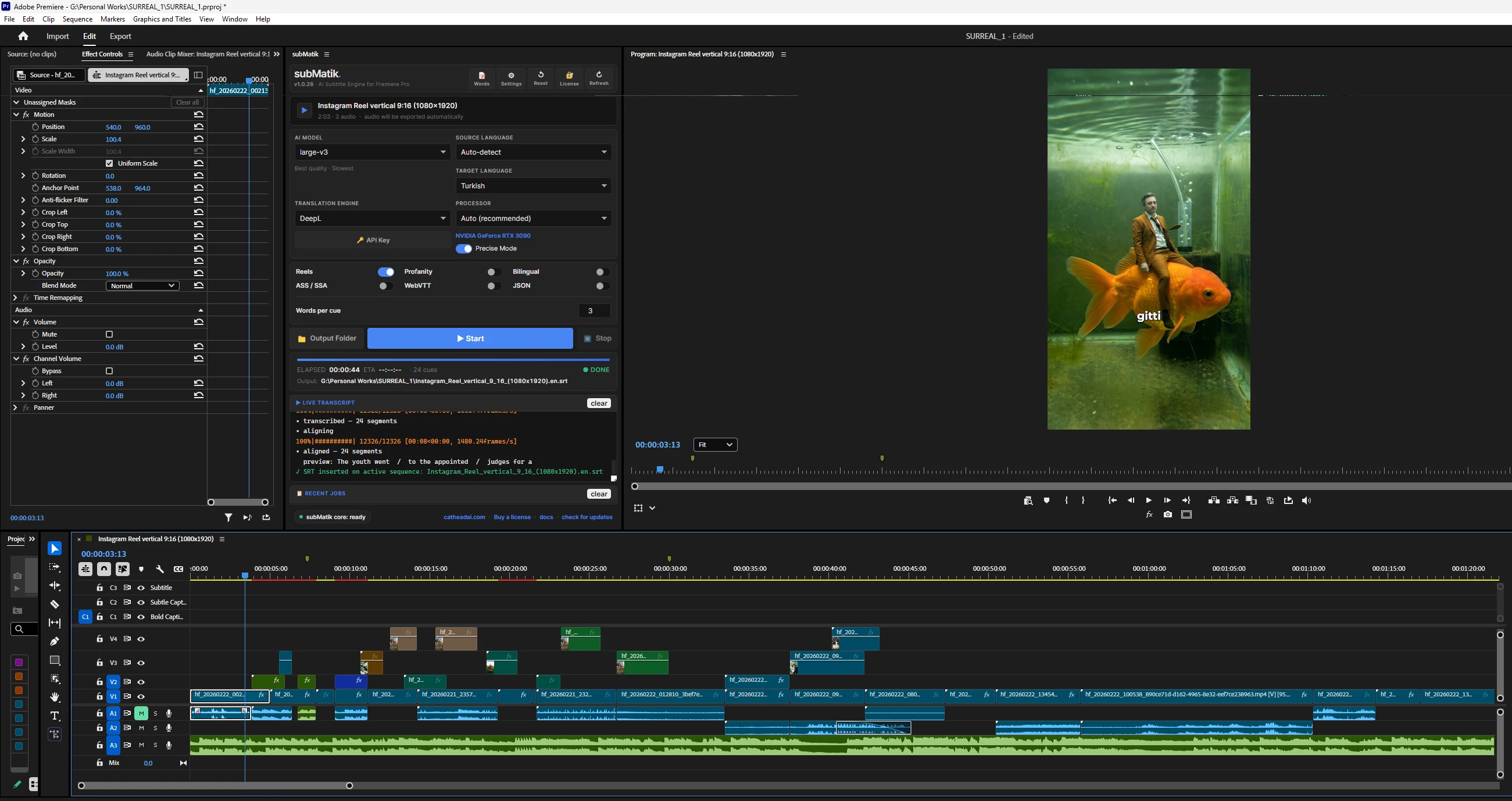
Download Mac or Windows — the Premiere Pro panel ships with the same installer. One license, one engine, one Settings panel. Open Premiere, dock the panel, and the active sequence becomes a captioned timeline.

subMatik panel docked inside Adobe Premiere Pro — DeepL engine, Turkish target, RTX 3090, with subtitles already on the active timeline
// real session — subMatik panel docked in Premiere, .srt already on the active sequence.
Five things subMatik does better

Why subMatik?

  1. 01

    One install. Two surfaces.

    The Mac and Windows installers each include the Premiere Pro panel. One download, one license — standalone for ad-hoc files, Premiere panel for your editing timeline. Same engine on both.

    Standalone + Premiere panel
  2. 02

    Drag · Drop · Start · Done.

    Four steps. No file pickers buried in menus. No render queues. No export presets. The drop zone is bigger than your video file.

  3. 03

    Almost nothing to fix afterwards.

    Whisper Large v3 + word-level alignment. The accuracy is so high that for cleanly-recorded speech the editing pass is — honestly — just a punctuation glance.

    Other tools

    The captial capital of Frans France is Pris Paris.

    subMatik

    The capital of France is Paris.

  4. 04

    Reels mode. Built-in.

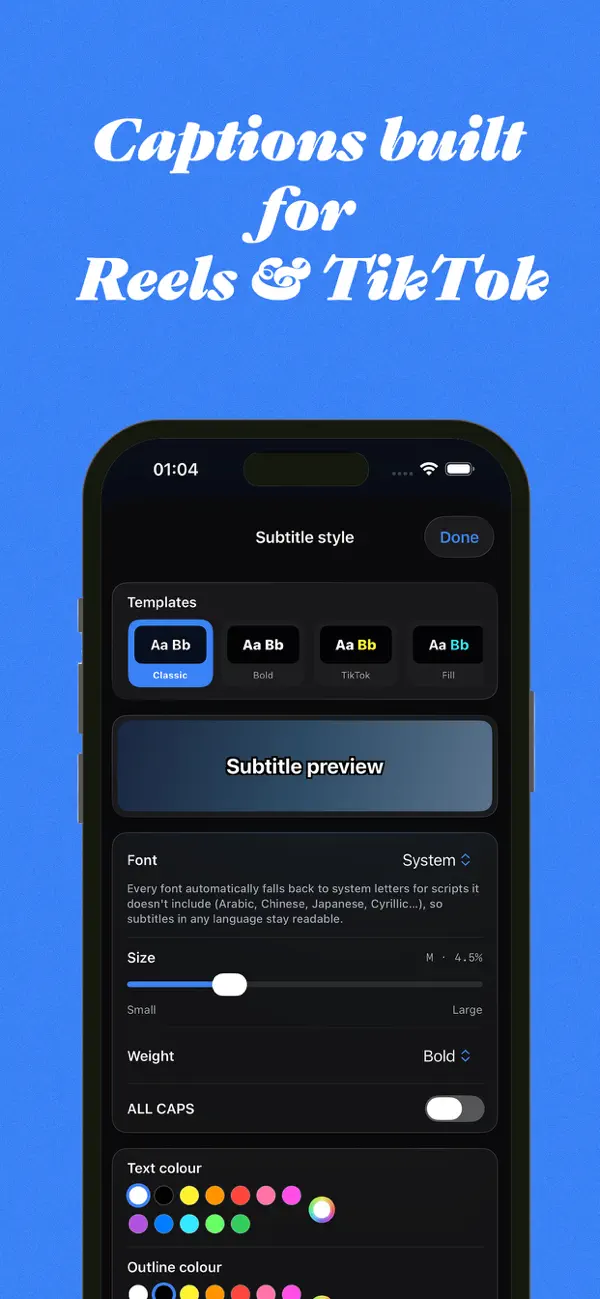
    Two-line wraps, narrow Reels margins, bottom-third bias. You decide how many words appear on each screen — 2, 3, 4, 5 — subMatik wraps to match. Vertical-first, not vertical-as-an-afterthought.

    one-tap
    captions
  5. 05

    GPU-fast.

    1 minute of video → ~40 seconds of processing on an M3 Pro. Faster on RTX-class GPUs. CPU-only fallback works on anything from 2018 onward.

Pick your languages

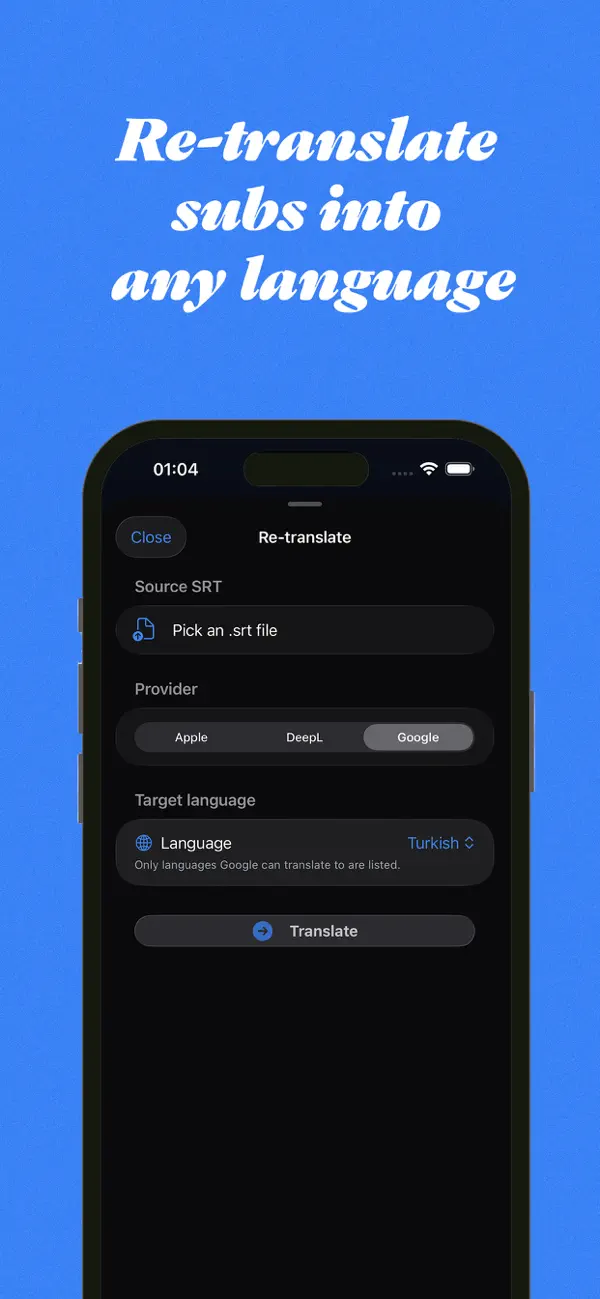
Two engines. 110 languages between them.

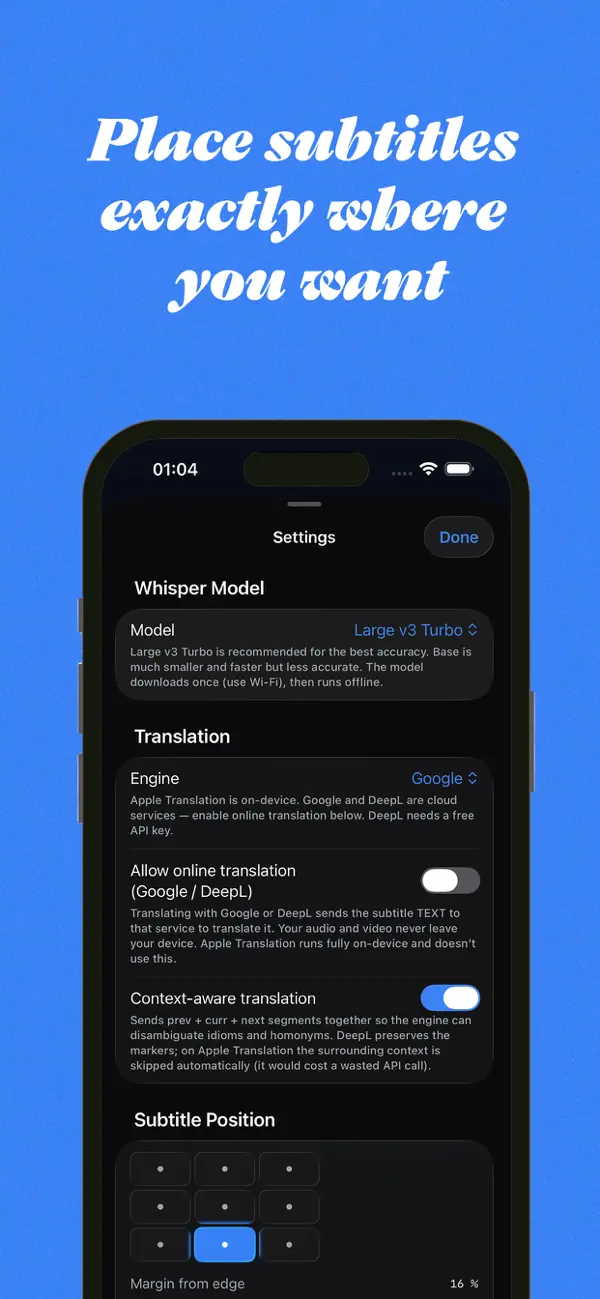
Tick the ones you actually use; the dropdown stays clean. English and Turkish always pinned at the top.

subMatik Google Languages manager — 110 / 110 enabled, with All / None toggles
subMatik DeepL Languages manager — 34 / 34 enabled, with All / None toggles
Outputs that fit

Fast, professional, easy!

Extra output formats
  • Bilingual SRT (original + translation)
  • ASS / SSA (Aegisub)
  • WebVTT (HTML5)
  • Premiere JSON (per-word data)
subMatik · Mac · Apple Silicon
Mac installer
+ Premiere Pro panel included
.dmg · ≈ 290 MB · v1.9.4
subMatik · Windows · x64
Windows installer
+ Premiere Pro panel included
.exe · ≈ 2.1 GB · v1.9.3
FAQ

Frequently asked questions.

Does subMatik work offline?

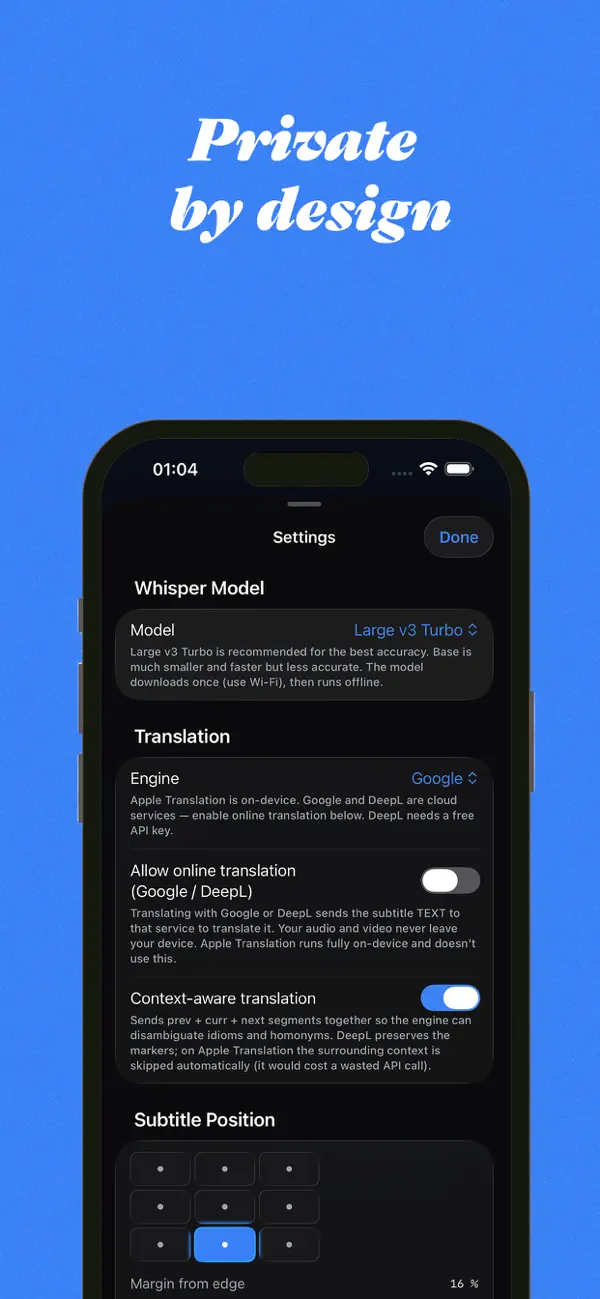
The transcription engine (Whisper) runs locally — your audio never leaves your machine. Translation is online (Google or DeepL); if you don't enable translation, subMatik is fully offline.

Do I need a beefy machine?

Any Apple-Silicon Mac. On Windows, an NVIDIA GPU with 6 GB+ VRAM gives the best speed; CPU-only also works (slower). The installer bundles everything needed; no separate Python or PyTorch install.

How accurate is it really?

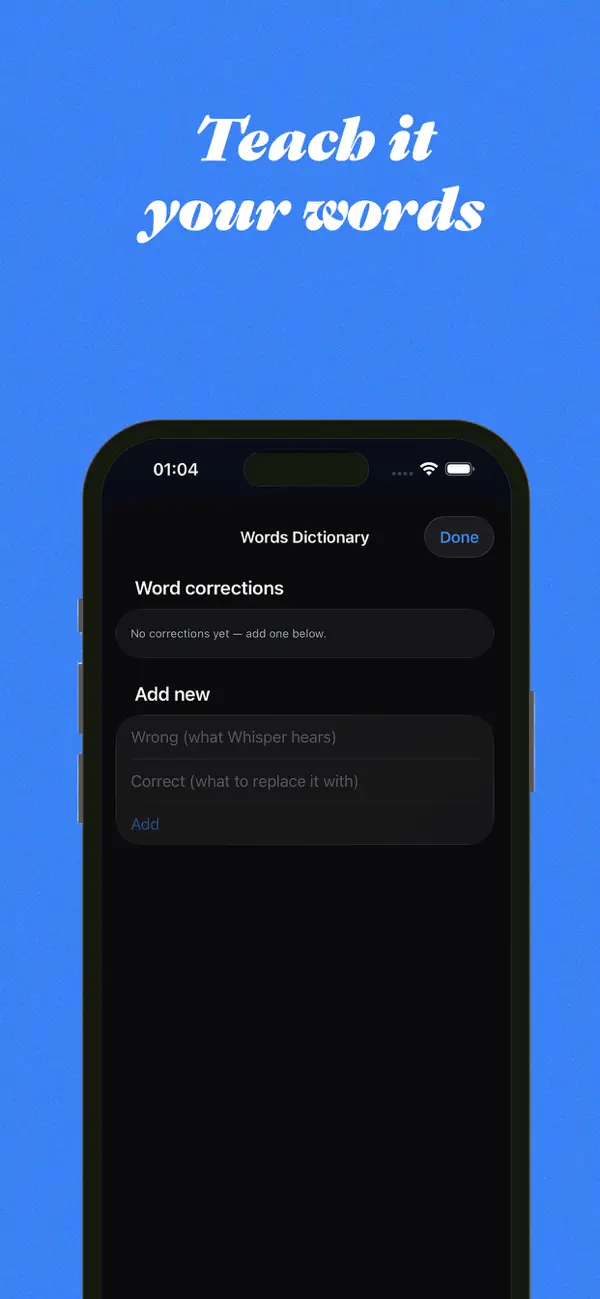
Whisper Large v3 is the state-of-the-art open speech model. For cleanly recorded speech, you'll typically catch 1–2 word fixes per minute, mostly proper nouns. Add brand names to Custom Vocabulary in Settings to drop that close to zero.

Is the Premiere Pro plugin a separate download?

No — the plugin is bundled inside the Mac and Windows installers. Install once, and the Premiere Pro panel appears under Window → Extensions → subMatik. Same license, same Settings, same engine.

What's "Reels mode"?

It rewraps the subtitles for vertical 9:16 video — short two-line cues, narrower margins, positioned in the bottom-third (above platform-overlay UI). You also pick how many words show per screen.

Can I customise how many words appear per cue?

Yes. Settings → Reels mode → words per cue. Or globally cap word count for any project, vertical or otherwise.

What's "Cut XML"?

Detects filler words (uhh, hmm, uzun susmalar) and emits a Premiere XML you can drag into a sequence. Your video gets tighter; subMatik's subtitles match the new cut. Unique to us.

Where do my output files land?

Standalone: a folder you pick at the bottom of the app (Output Folder button). Plugin: directly imported into the active Premiere sequence as a Captions track, plus saved next to the source video.

Drop a video.
Hit Start.
Let subMatik handle it.

⬇ Mac ⬇ Windows

Both installers include the Premiere Pro panel.