AI Turkish glyph generator · Windows · macOS
Give any font Turkish. Instantly.
ConvertoFonto reads your font's style — weight, curves, serifs, proportions — and builds the missing Ç Ğ İ Ö Ş Ü, upper and lower case, in the same hand. English TTF or OTF in, fully Turkish font out. Free.
FreeNo account in the appFonts never leave your machine
Before you installN°02
- Mac
- v1.0.22 · macOS 11 Big Sur or later · Apple Silicon only (M1 and newer) · about 8.7 MB. Signed and notarized by Apple — open the DMG and drag ConvertoFonto into Applications. Intel Macs aren’t supported.
- Windows
- v1.0.22 · Windows 10/11 · 64-bit (x64) · about 5.4 MB. The installer isn’t digitally signed yet: if “Windows protected your PC” appears, click More info → Run anyway. Setup asks for administrator approval.
- Update
- Free, no licence needed. The app updates itself — if you already have it, there’s nothing to download again.
The gap
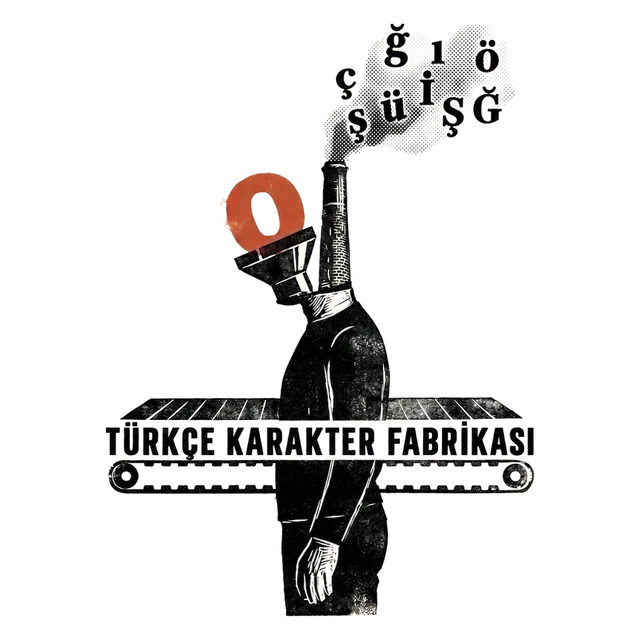
Beautiful fonts. Broken Turkish.
Thousands of fonts have no Turkish letters
You find the perfect font — and the moment you type Ç, Ğ or Ş you get empty boxes, fallback fonts and broken layouts.
AI draws the missing glyphs for you
ConvertoFonto studies weight, curves, serifs and proportions, then synthesizes Turkish characters that belong to the same family. In seconds.
Features
Everything you need. Nothing you don't.
AI glyph synthesis
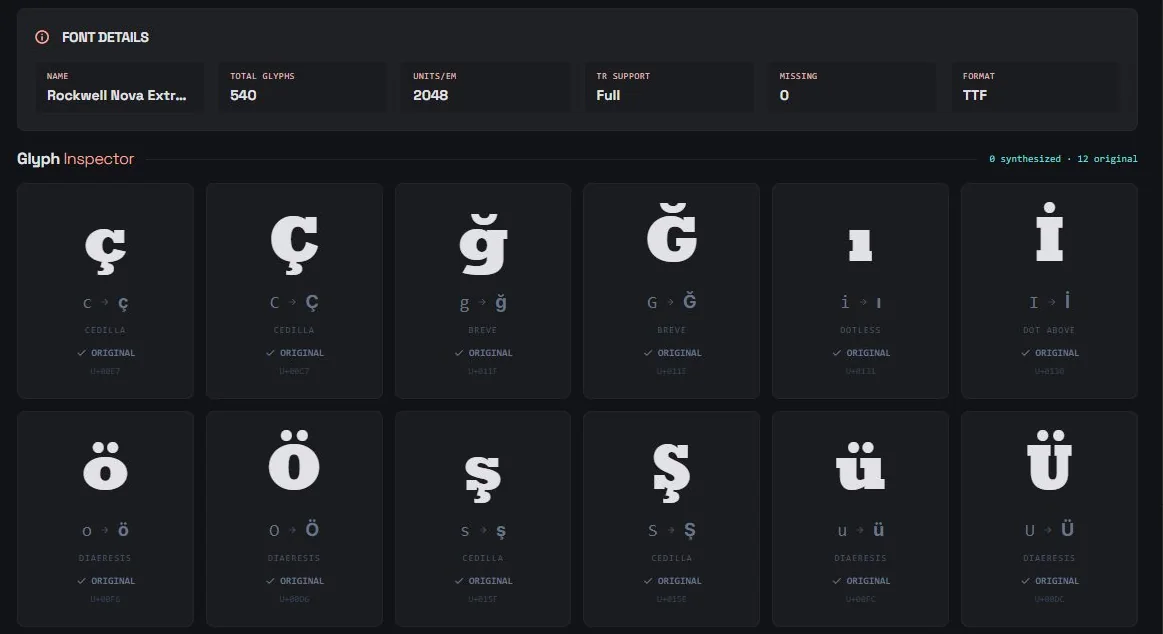
Reads weight, curves, serifs and proportions, then builds Ç Ğ İ Ö Ş Ü that match.
Vector glyph editor
Select, Pen, Eraser, Convert, Hand and Zoom. Multi-point selection, arrow-key nudging, undo.
TTF & OTF export
Install the result like any font — it works in every app on every platform.
Live preview
See the new glyphs in your own text, at several sizes, before you export.
Light & native
Built with Tauri and a Rust core. Starts fast, stays small — no Electron bloat.
Quiet updates
New versions arrive on their own. Always the latest engine, zero effort.
How it works
Three steps. That's it.
- 01
Load your font
Drag in any .ttf or .otf. ConvertoFonto scans it and lists every Turkish glyph that's missing.
- 02
AI draws the glyphs
The engine reads the font's style and synthesizes matching Turkish characters, right on your machine.
- 03
Edit & export
Fine-tune any curve in the vector editor, press Rebuild Font, export TTF or OTF. Install and use anywhere.
The twelve
Six letters. Twelve glyphs. One alphabet.
FAQ
Asked & answered.
How does the AI generate Turkish glyphs?
Which font formats are supported?
Is it really free?
Can I edit the generated glyphs?
Which systems does it run on?
Is an internet connection required?
Requests
Tell us what to add next.
A font that didn't come out right, a feature you miss, a thank-you — it all lands in one inbox and gets read.
Ready to give your font Turkish?
Free. No account inside the app. Your first synthesized glyphs in under a minute.
Before you installN°02
- Mac
- v1.0.22 · macOS 11 Big Sur or later · Apple Silicon only (M1 and newer) · about 8.7 MB. Signed and notarized by Apple — open the DMG and drag ConvertoFonto into Applications. Intel Macs aren’t supported.
- Windows
- v1.0.22 · Windows 10/11 · 64-bit (x64) · about 5.4 MB. The installer isn’t digitally signed yet: if “Windows protected your PC” appears, click More info → Run anyway. Setup asks for administrator approval.
- Update
- Free, no licence needed. The app updates itself — if you already have it, there’s nothing to download again.
From the same studio