Type “sunset” — get sunset photos. Type “mom holding the cake” — get that. RetinaTag indexes every photo on your Mac or PC with on-device CLIP and local Ollama models. Nothing leaves your machine. Ever.
Apple Photos searches for what's tagged. Lightroom searches for what you tagged. iCloud charges you forever to lose them in the cloud. Meanwhile that one photo of your dog at the beach — it's in there, somewhere.
You know the photo exists. You took it. It's somewhere in there. Apple Photos won't find it because it doesn't know what you mean. Lightroom won't find it because nobody tagged it. The cloud will charge you ₺99/ay forever to keep it lost.
RetinaTag reads every photo on your machine with local AI. CLIP understands “sunset over the sea.” Ollama writes natural-language captions. The result: a search box that knows what you mean, even when you don't quite know what you took.
No setup wizard hell. No “invite your team.” You install RetinaTag, point it at the folders that hold your photos, and walk away. By the time you come back, every picture is searchable by what's in it.
Drop the macOS or Windows installer. On first launch RetinaTag asks where your photos live — your Pictures folder, an external drive, a NAS share, anywhere. Add as many roots as you want; remove them later without losing tags.
RetinaTag detects your machine and recommends a CLIP tier and an Ollama model that will fit your hardware. One click downloads them in the background. Files come straight from Hugging Face and Ollama — never our servers.
Photos get a CLIP embedding (~10 ms each on Apple Silicon) and an Ollama caption (~1–2 s each). You can search the moment indexing starts; new results stream in as more photos finish processing. Pause / resume anytime.
Type "mom holding the cake." Type a year. Type a place name. Type a color. Type Turkish. RetinaTag understands what you mean — even on photos you never tagged a day in your life.
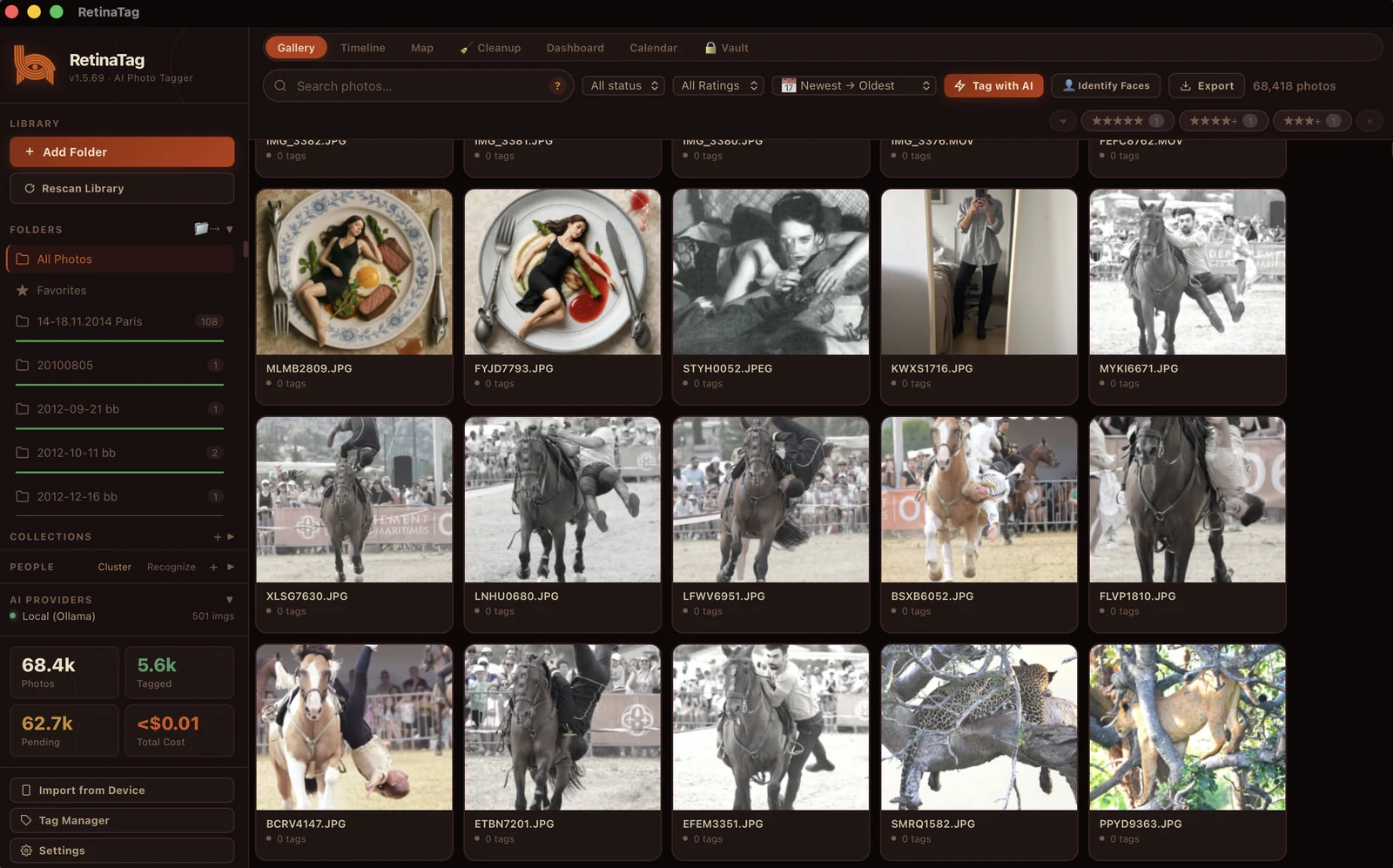
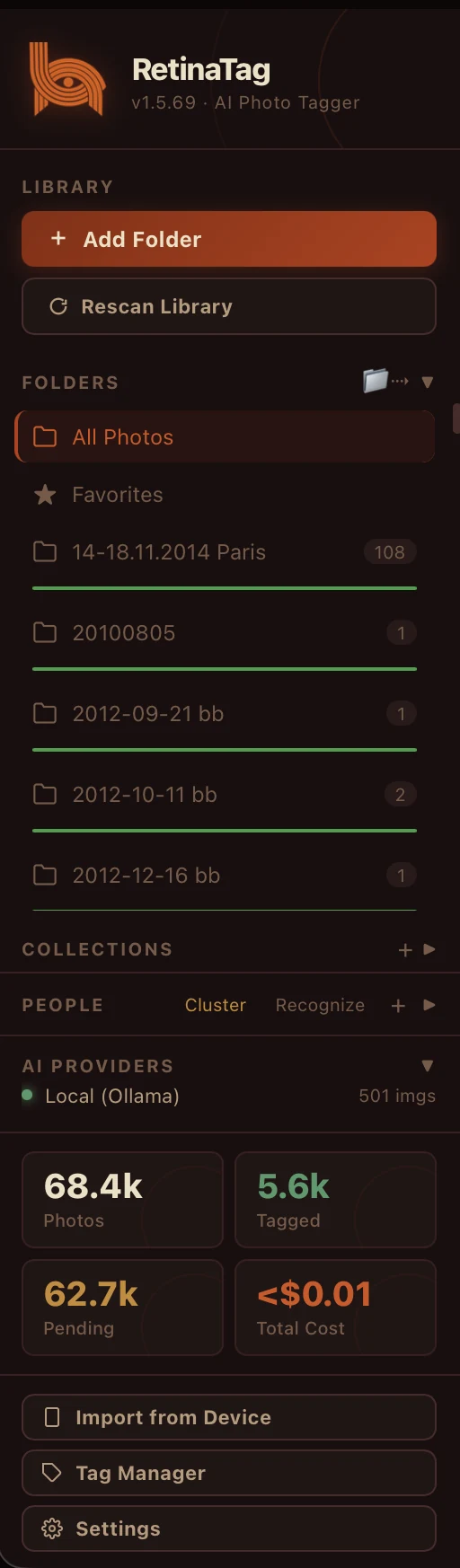
This is RetinaTag — the Gallery view. The top toolbar flips between Gallery, Timeline, Map, Cleanup, Dashboard, Calendar, Vault — seven views over the same library. The sidebar mirrors how you actually think: every folder you've added (with photo count), every Collection you've stacked, every face cluster, every AI provider you've configured. The status row shows what's tagged, what's pending, and what your tagging has cost (almost nothing — Ollama is free). Click any thumbnail to dive into a detail panel with the full AI tag set.
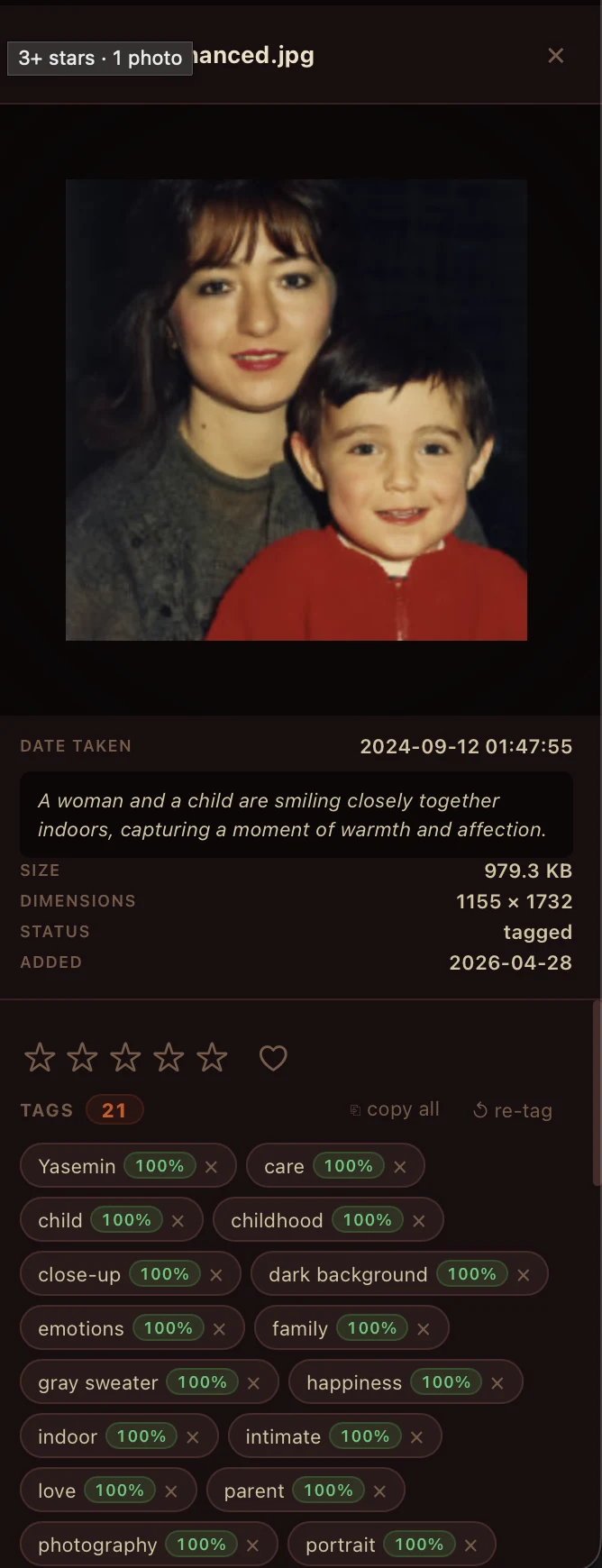
Open any photo and you see what the local Ollama model saw: a list of sixteen-plus named attributes — person · happiness · indoors · gray sweater · childhood · portrait · intimate · love · parent · photography — each scored at 100% confidence. Plus a one-sentence written caption (“A woman and a child are smiling closely together indoors, capturing a moment of warmth and affection”). Star-rate, copy a tag, mark a favourite, refresh tags from a different model. All searchable from the same search box, all exportable as XMP — your tags travel with the file even if you stop using RetinaTag.
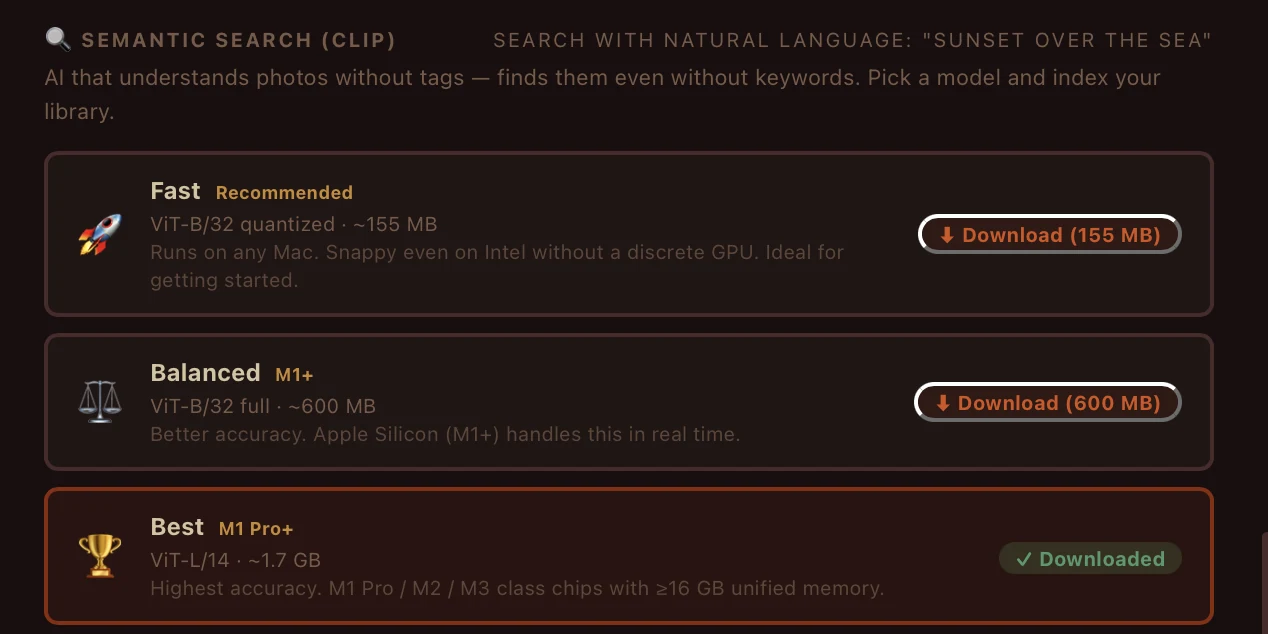
CLIP — the same model OpenAI built to bridge images and text — runs locally on your Mac or PC. RetinaTag bundles three tiers so you can match your hardware: a quantized ViT-B/32 (~155 MB) that runs on any Mac, even Intel; the full ViT-B/32 (~600 MB) for Apple Silicon; and ViT-L/14 (~1.7 GB) for M1 Pro and up with ≥16 GB unified memory. Index your library once, then the search box becomes telepathic — type a feeling, get a result.
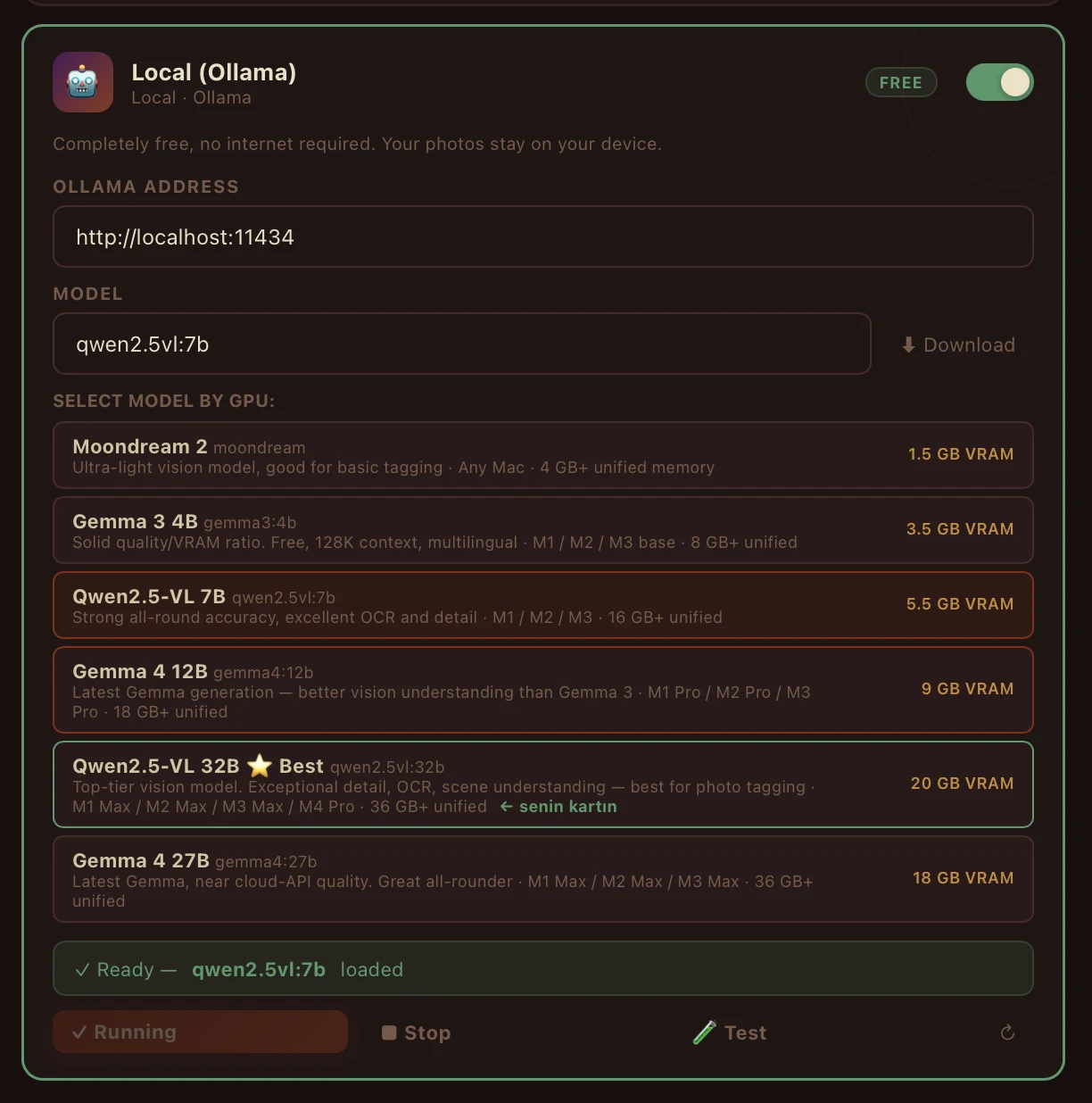
Ollama runs vision-language models entirely on your machine. RetinaTag inspects your GPU and recommends a model that will actually fit your VRAM — Moondream 2 (1.5 GB) on a thin laptop, Qwen2.5-VL 7B (5.5 GB) on a 16-GB rig, Qwen2.5-VL 32B (20 GB) if you have an RTX 4090. Every photo gets a real, written description in plain English (or Turkish, or whatever you ask the model to generate). Captions are searchable from the same search box and exportable as XMP sidecars.
The sidebar is your library's map. Add a folder, it appears with a live photo count. Make a Collection — “Wedding,” “Stuff to print,” “2014 Paris” — and drag photos into it. The People panel toggles between automatic Cluster mode (faces grouped by similarity) and Recognize mode (you've named some, the others get matched to them). At the bottom, the AI Provider switch shows Local (Ollama) by default — free and private — with an image-counter and a running cost-tracker that always reads <$0.01 unless you've turned on a paid cloud model.
A two-row scrubber along the top of the gallery. The top row is years; the bottom row is months. Drop into October 2025 in one click; see 478 photos from that month, surrounded by every other month around it. Counts under each year tell you where the dense periods are — that 2024 wave you forgot, that quiet 2021 valley. The timeline reads EXIF date-taken (not file modified), so the chronology is the real one — even for photos that bounced through a backup, a re-import, a system migration. Arrow keys jog you through one month at a time.
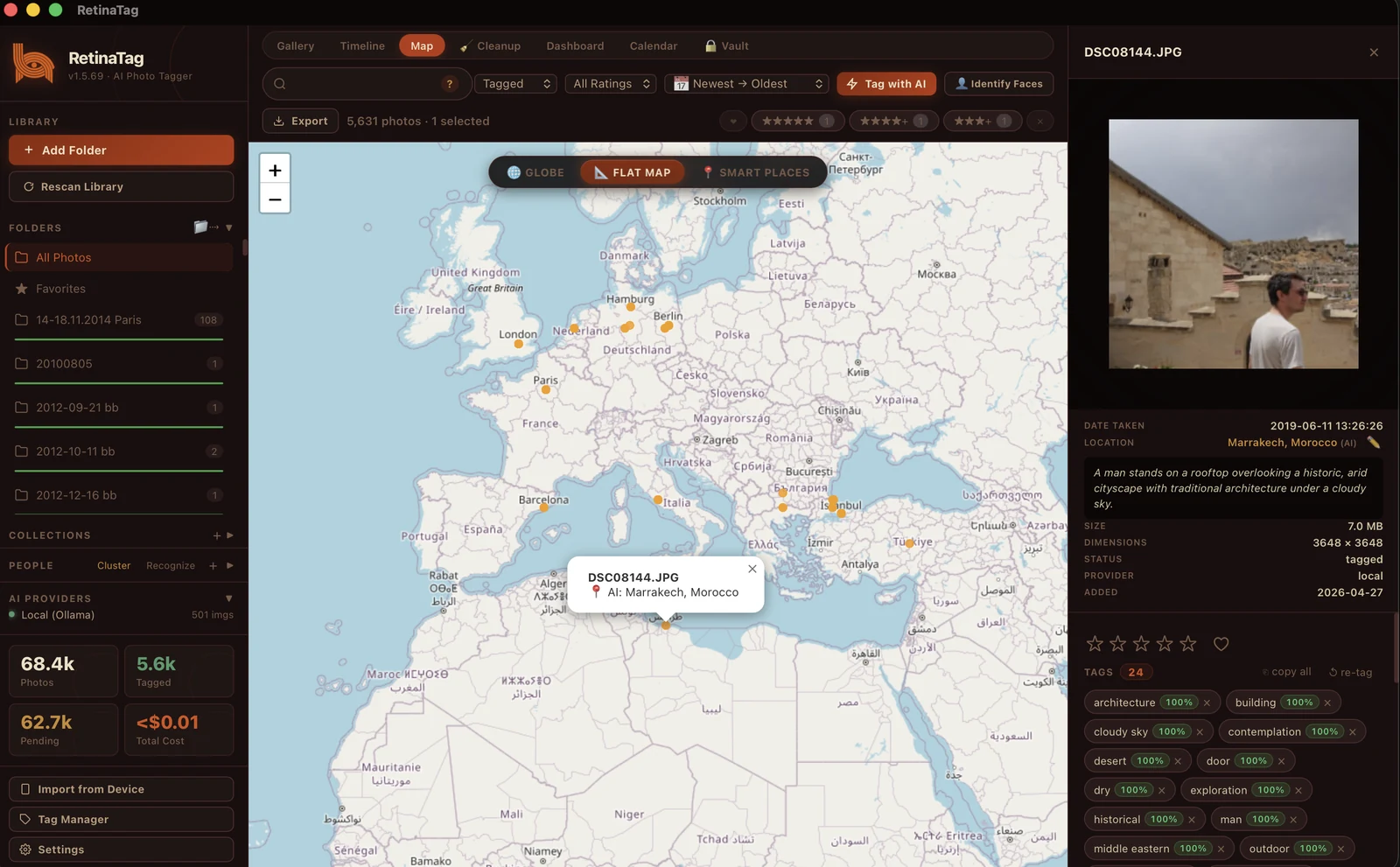
A pin for every photograph that has GPS in its EXIF. Three lenses on the same data: Globe (3D earth, drag to rotate), Flat Map (Mercator, infinite pan), and Heat Places (density gradient — see at a glance where you've spent the most time). Click a pin and the right panel opens: the photo, its location reverse-geocoded to a place name (“At Marrakesh, Morocco”), date, EXIF, and the tags Ollama wrote for it. Filter by tag first, then look geographically — find every photograph you took that contains “architecture” overlaid on the map.
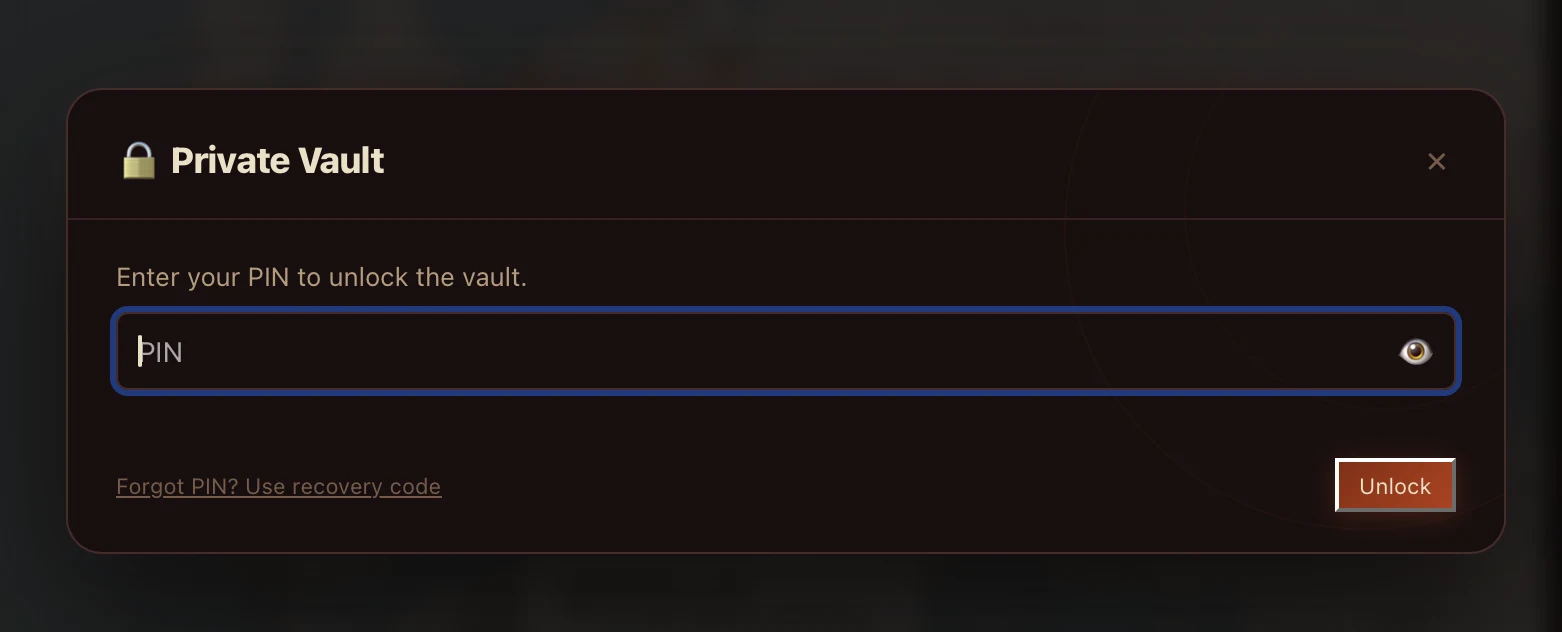
A vault that's invisible until you unlock it. Files encrypted with a PIN-derived key (Argon2id + AES-GCM). The unlock dialog reveals nothing about what's inside — no thumbnail count, no preview, no leak. Photos in the vault don't appear in any timeline, search, or library cleanup until you type the PIN. The recovery code is optional: keep one and you can recover from a forgotten PIN; skip it and the vault is gone forever after ten wrong tries — that's the point.
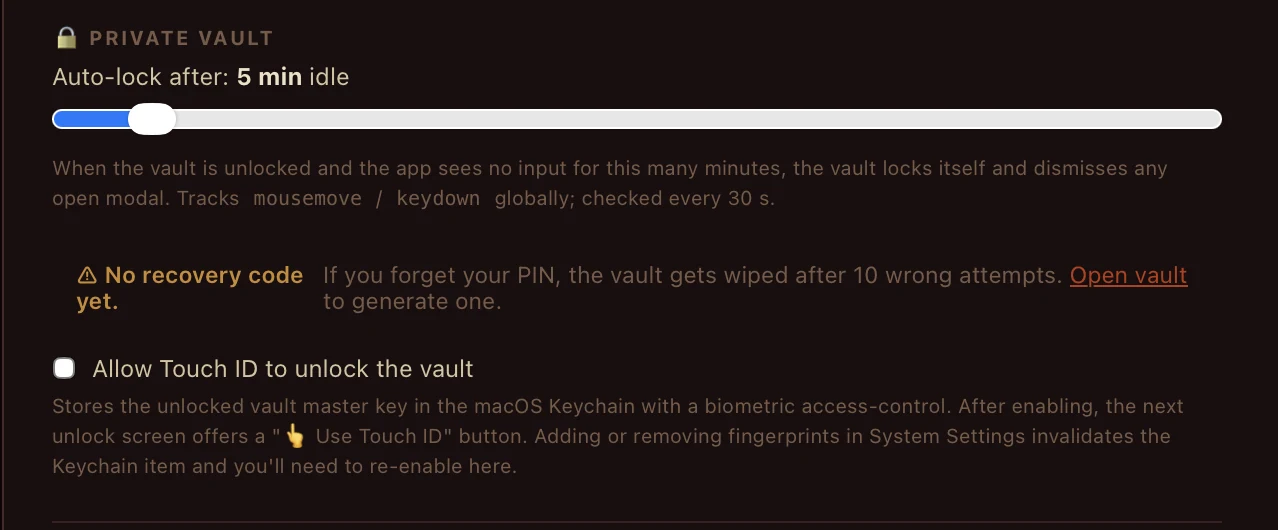
RetinaTag tracks mousemove and keydown globally and checks every 30 seconds. The instant your idle window crosses your auto-lock threshold, the vault locks and any open modal showing vault content is dismissed. Want biometric unlock? Enable Touch ID and the master key sits in the macOS Keychain protected by your fingerprint. Adding or removing fingerprints in System Settings invalidates the Keychain item — by design, so a stolen laptop with new fingerprints can't open the vault.
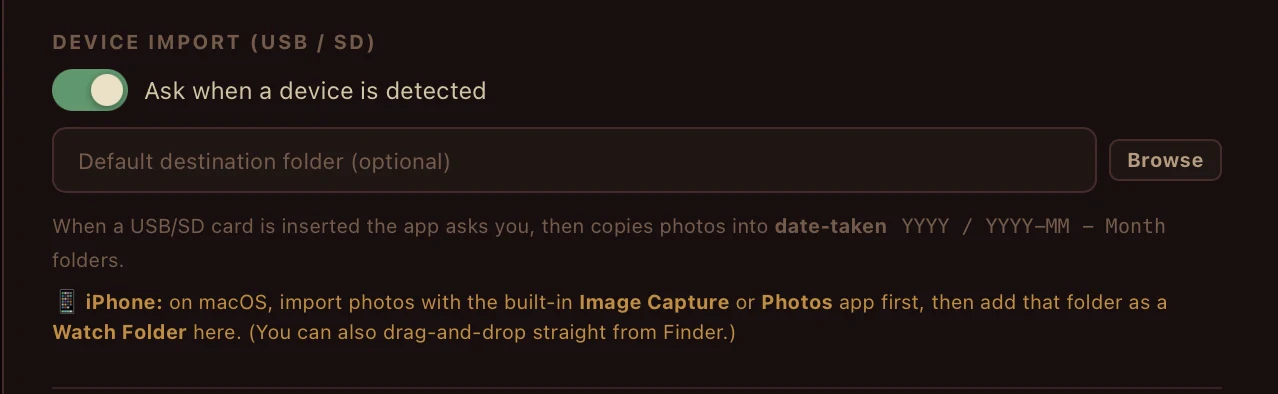
Insert an SD card or USB drive — RetinaTag detects it and asks if you want to import. Files copy into a clean YYYY / YYYY-MM Month folder structure based on the EXIF date-taken, not the file's modified date. iPhone? On macOS, use the built-in Image Capture or Photos app first to pull originals off, then add that folder as a Watch Folder here. Drag-and-drop straight from Finder works too — RetinaTag indexes new files the moment they appear.
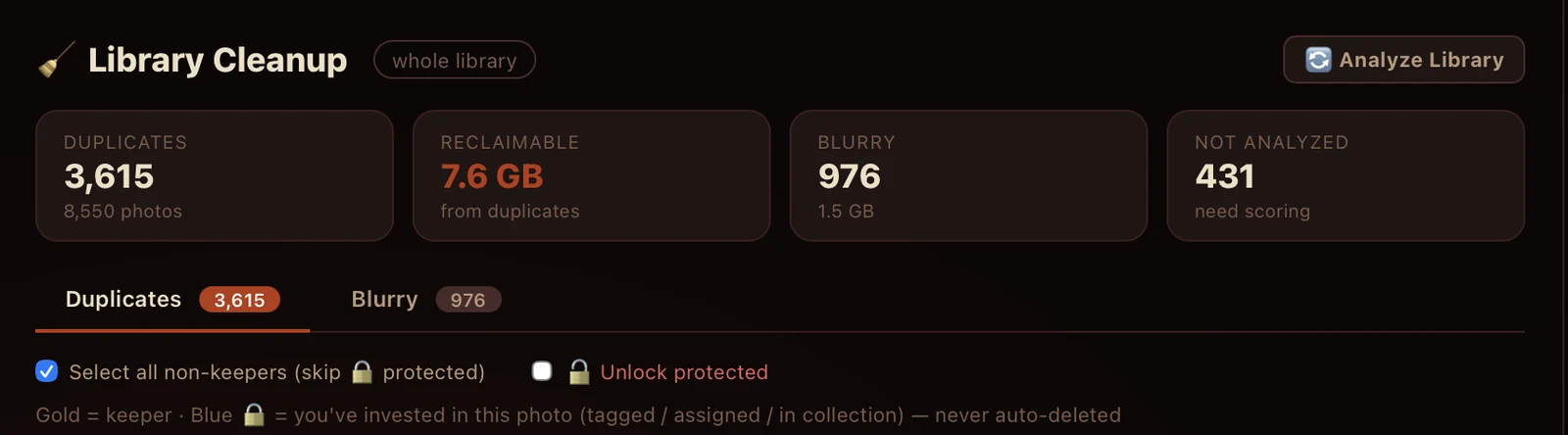
RetinaTag scans your library and counts what's duplicate, what's blurry, what's not yet analyzed, and exactly how much disk you'd reclaim by deleting the redundant copies. Duplicate detection uses a perceptual hash — same photo at different resolutions, different formats, different rotations all collapse to one. Tag a photo as a “keeper” (gold) or invest in it (blue — tag, rate, add to a collection) and RetinaTag will never auto-delete it, even if a heuristic says it should.
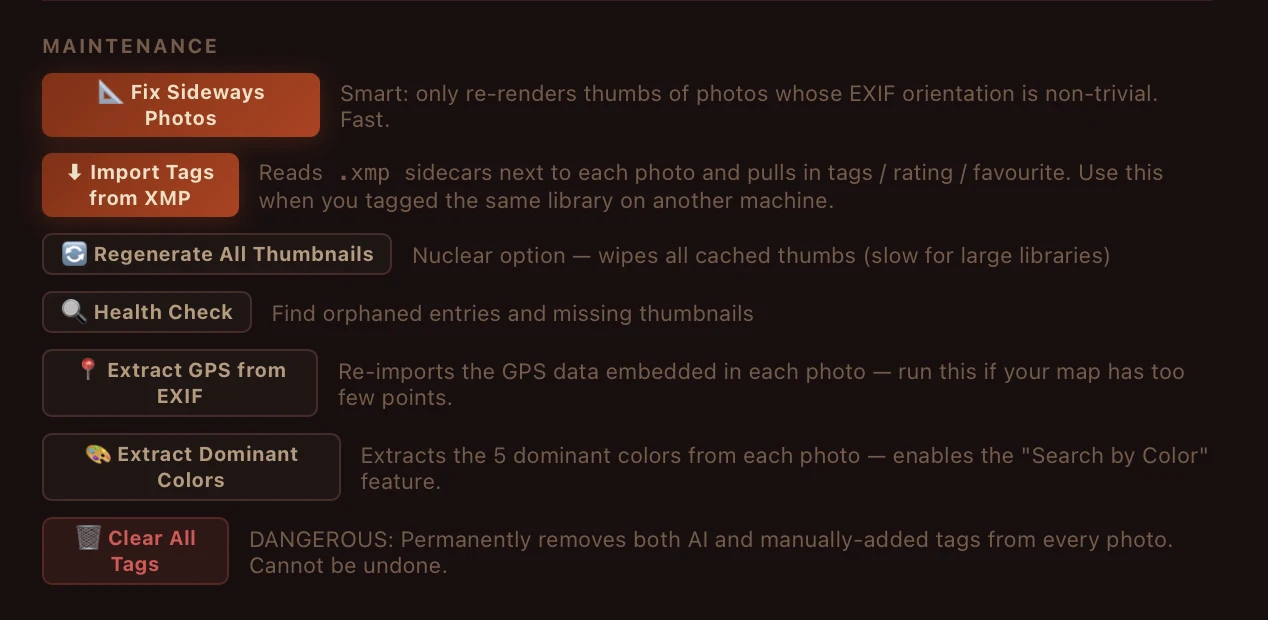
Seven one-button utilities for the work you didn't know you'd need. Fix Sideways Photos re-renders only the thumbs whose EXIF orientation is non-trivial — fast, never the whole library. Import Tags from XMP reads .xmp sidecars another machine wrote and pulls in tags, ratings, favourites — perfect for syncing libraries between your laptop and desktop. Regenerate All Thumbnails is the nuclear option. Health Check finds orphaned entries and missing thumbnails. Extract GPS and Dominant Colors re-run those passes on demand. Each button does one thing well — and is reversible, except the last one (clearing all tags), which is on purpose.
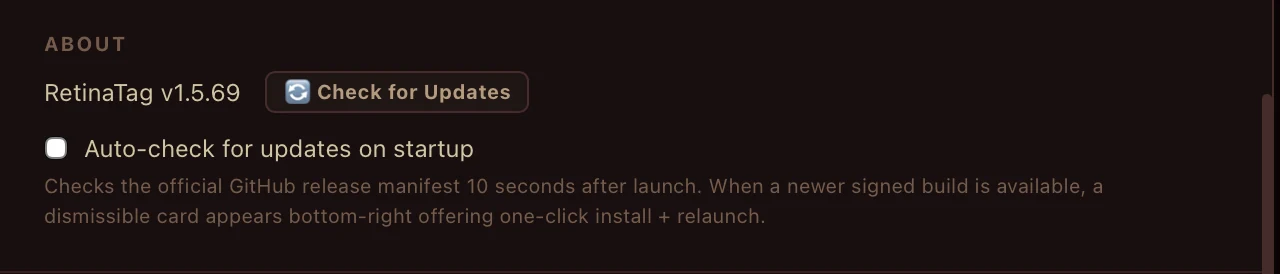
Ten seconds after launch, RetinaTag checks the official GitHub release manifest. If a newer signed build is available, a dismissible card slides in from the bottom-right offering one-click install + relaunch. No forced restart. No “please update” modal blocking your work. The builds are GitHub-signed — same artifacts you can verify yourself from the releases page. If you'd rather pull updates manually, toggle off the auto-check and the card never appears again.
No cloud upload. No telemetry on photo content. No license server. No account. CLIP runs locally. Ollama runs locally. The vault encrypts to your PIN. Everything is local. We literally cannot see your library — and we like it that way.
Yes, really. No subscription, no “upgrade” tier, no “free trial” trick that locks you out on day 31. Download it, install it, use it forever. The whole feature set, every photo, every model.
Completely free. No subscription. No card. Yours forever.