FieldMarker lets you load any photo and mark it up with professional tools — arrows, polygons, measurements, text — and export as JPG in seconds.
✓ Apple Silicon (M1/M2/M3/M4) · ✓ Windows 10/11 x64 · ⚠ Intel Mac coming soon
✓ Free forever · ✓ No account required · ✓ No ads, no tracking
From loading a photo to exporting a fully annotated, scaled image — see the whole workflow in minutes.
A focused desktop tool built specifically for professionals who need to annotate photos — fast, precise, and offline. No bloat. No learning curve.
No tutorials. No setup. Open FieldMarker, load your photo, start marking.
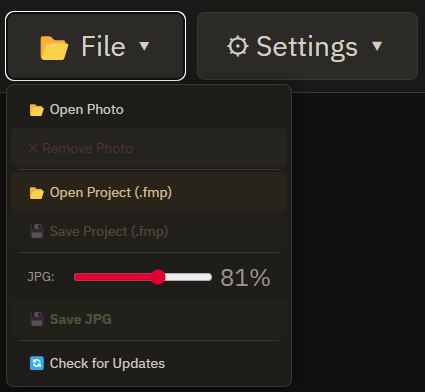
Drag & drop any image — JPG, PNG, PDF, HEIC, TIFF. FieldMarker opens it instantly.
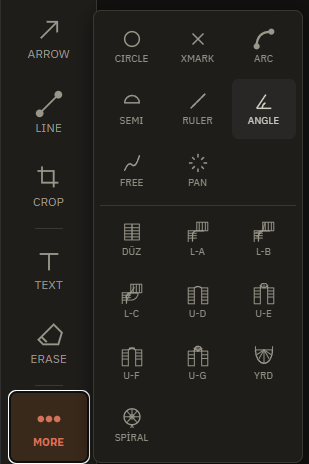
Choose from 17 tools — arrows, polygons, measurements, text, rulers. Mark exactly what needs marking.
Save your project as .pcc to edit later. Export as high-quality JPG ready to send.
If you've ever needed to mark something on a photo and struggled to find a simple tool, FieldMarker is for you.
Annotate floor plans, mark property boundaries, add measurements to appraisal reports.
Mark up site plans in the field, document defects, communicate with teams visually.
Document findings directly on photos. Create professional reports in minutes.
Mark up floor plans and property photos with precision
Annotate site plans directly in the field
FieldMarker is intentionally focused. Every feature earns its place.
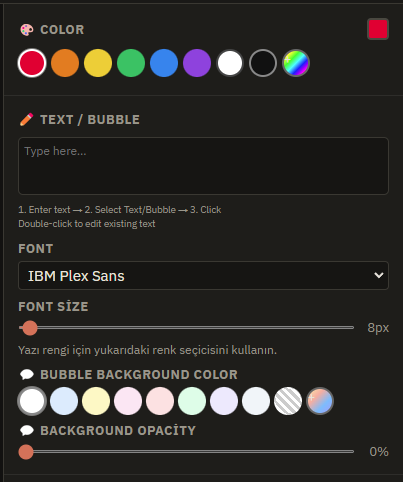
Whether you're at your desk or reviewing on-site, FieldMarker's interface is clean, fast, and distraction-free. Load your photo, pick your tool, start marking.
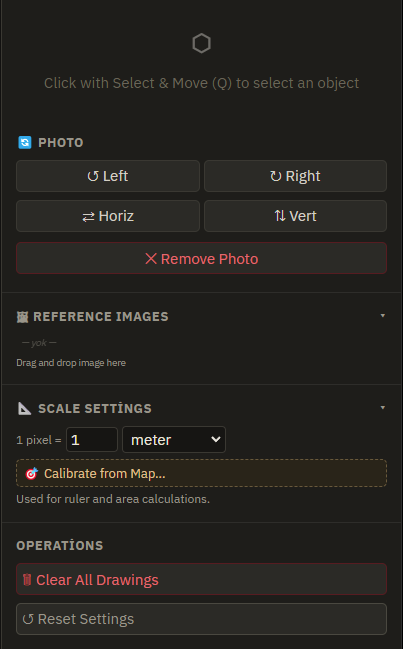
Calibrate scale using a known distance. Every ruler shows real units.
Make mistakes freely. Full undo/redo history, always.
Save your work as .pcc, come back and keep editing anytime.
Every tool has customizable colors. Match your brand or report style.
Prepare your image before annotating. No external editor needed.
Export clean, high-resolution JPG files ready for reports or sharing.
Opens JPG, PNG, WebP, HEIC, TIFF, PDF. Whatever you have.
No internet. No cloud. Your photos stay on your machine.
Every tool has a keyboard shortcut. Work fast without ever touching the mouse.
Every panel, every menu, every shortcut — designed for speed.
No subscriptions. No trials. No payment, ever.
PC & Mac desktop application. Works completely offline. No account required. Notarized by Apple for macOS.
Yes — completely. FieldMarker is a desktop app with no internet requirement. Your photos never leave your machine.
JPG, PNG, WebP, HEIC, TIFF and PDF. FieldMarker handles whatever you throw at it.
No catch. FieldMarker is 100% free — no trial, no subscriptions, no in-app upgrades. The desktop apps are notarized by Apple and code-signed for Windows, so install warnings won't appear.
Works on PC (Windows 10 and 11) and Mac (Apple Silicon, notarized). Install on as many machines as you like.
Email support@catheadai.com any time. Feature requests welcome.
Share your experience or let us know what you'd like to see next.
FieldMarker is built for exactly this. Open it, mark it, export it.
No reviews yet — be the first!
Honest feedback from real users only. Nothing fake here.